Everything in Standard
Includes local encrypted vault storage, password entries, secure notes, personal records, bank details, lists, password generator, backups, restore support, and six languages.
Pro edition
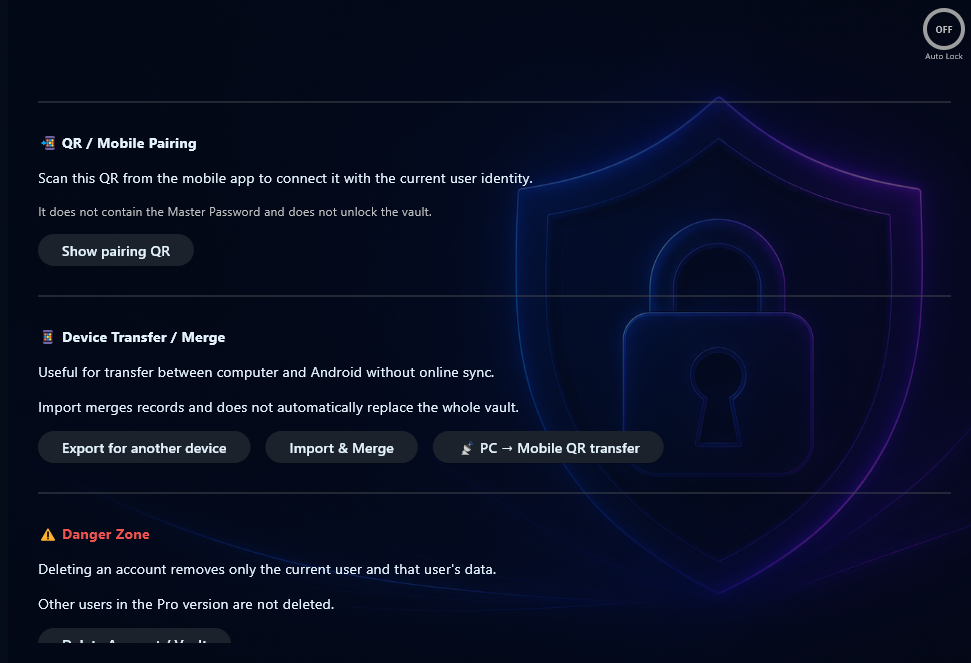
Secure Password Vault Pro includes everything in Standard, plus advanced tools for 2FA backup codes, browser CSV import, multi-user workflows, encrypted backups, emergency export, identity tools, and device transfer / merge workflows.
Price
Pro is the advanced edition for users who want the complete Secure Password Vault feature set, including import, backup, export, multi-user, 2FA, and transfer tools.
Included in Pro
Pro includes the Standard feature set plus advanced local workflows for migration, protection, organization, export, and transfer.
Includes local encrypted vault storage, password entries, secure notes, personal records, bank details, lists, password generator, backups, restore support, and six languages.
Store two-factor authentication backup codes locally in your encrypted vault for emergency access planning.
Create separate local vault users, each with their own username and master password.
Import password CSV files exported from Chrome, Edge, or Opera.
Import password files and organize imported entries by source email or account when supported by the import workflow.
Use duplicate detection during browser import to reduce repeated password entries.
Create encrypted backups for safer local backup handling.
Prepare emergency export information for offline emergency access planning. Users are responsible for storing any exported data securely.
Manage identity-related local user information for supported vault workflows.
Use transfer and merge tools for supported workflows when moving or combining vault data between devices.
Pro includes QR / mobile pairing tools prepared for future mobile workflows.
Pro is sold as a one-time purchase, not as a monthly subscription.
Pro screenshots
Pro is designed for users who need stronger local control over passwords, 2FA backup codes, migration, backups, and device transfer.
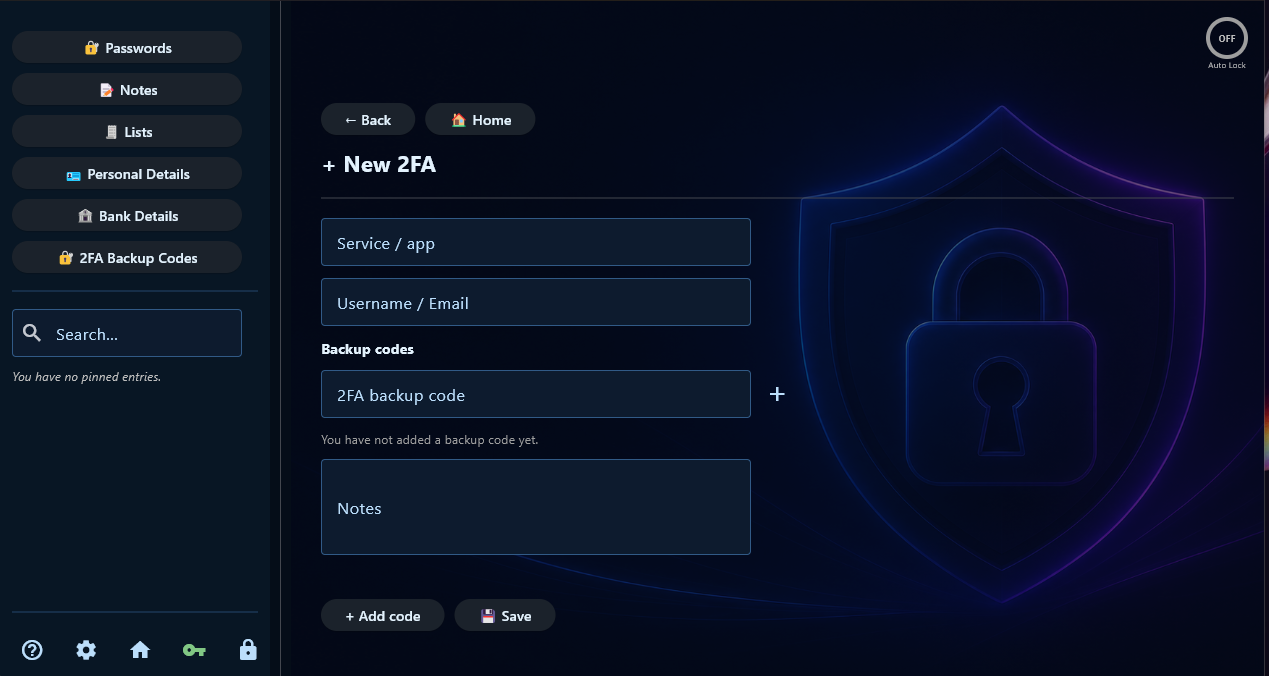
Keep two-factor authentication backup codes organized in your local vault.
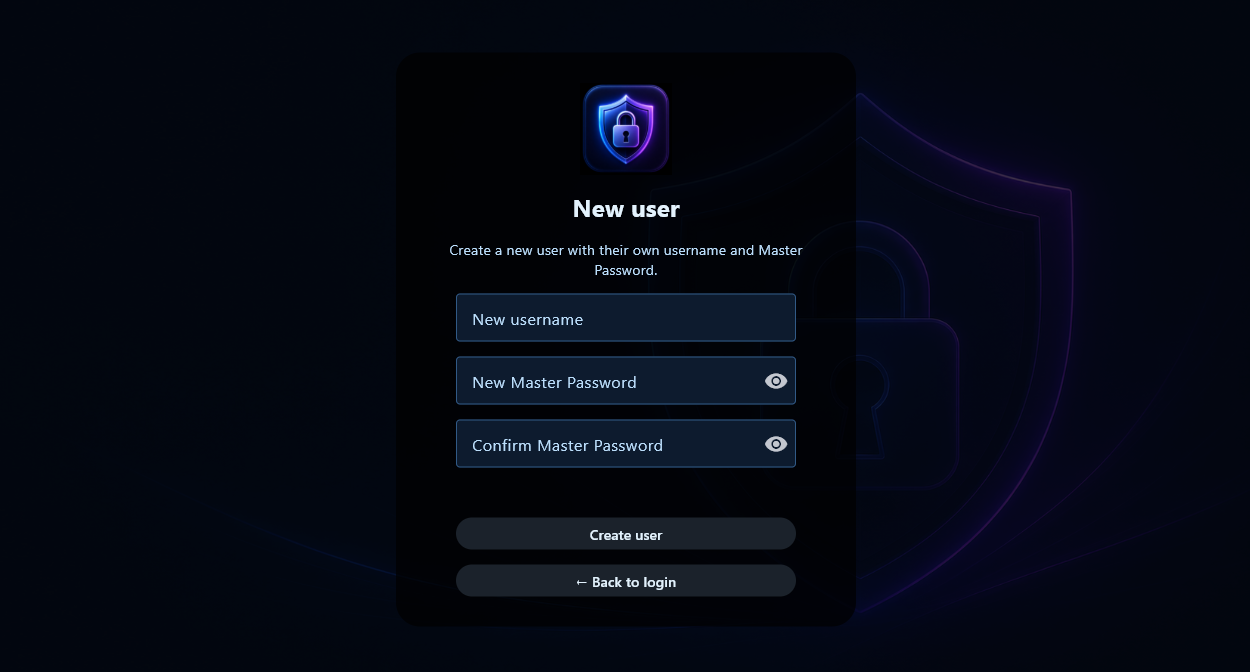
Create separate local users for different vault workflows on the same computer.
Access tools for emergency export, encrypted backups, browser import, restore workflows, and transfer preparation.
Browser import
Pro includes browser CSV import tools for users moving password records from supported browser exports into their local Secure Password Vault.
Browser CSV files can contain unencrypted password data. After importing, users should delete unneeded CSV files and store any exported data securely.
Mobile note
Secure Password Vault Pro includes QR / mobile pairing and transfer-related tools prepared for future mobile workflows.
The separate mobile app is currently under development and is not included as a separate released product yet. Future mobile features, companion apps, or mobile releases are not guaranteed unless clearly stated.
Pro vs Standard
Standard is best for everyday offline storage. Pro is best when you need 2FA backup codes, browser import, multi-user support, encrypted backups, emergency export, and transfer tools.
Advanced password vault workflows with import, export, 2FA, encrypted backups, multi-user tools, transfer tools, and mobile preparation tools.
Buy Pro →Local encrypted vault storage for passwords, secure notes, personal records, bank details, lists, password generator, and backups.
View Standard →Try the app first and check whether the local vault workflow fits your needs.
Download Demo →License activation
Pro is offline-first. Your vault data stays on your Windows computer. Internet access is used only to activate and verify your paid license.
Terms and transparency
PracticalForge Software is an independent software project. Pro includes the features described for Pro at the time of purchase. Future updates, new products, companion apps, mobile versions, or unreleased features are not guaranteed unless clearly stated.
Buy Pro
Choose Pro for the complete Secure Password Vault toolset.